Formatting for Email, Meetings & Demos: The Multi-Channel Narrative

Master the multi-channel narrative. Learn how to format your pitch deck for cold emails, live meetings, and product demos to drive investor conviction in 2025.

PILLAR 6: DESIGN PRINCIPLES

12/26/20256 min read

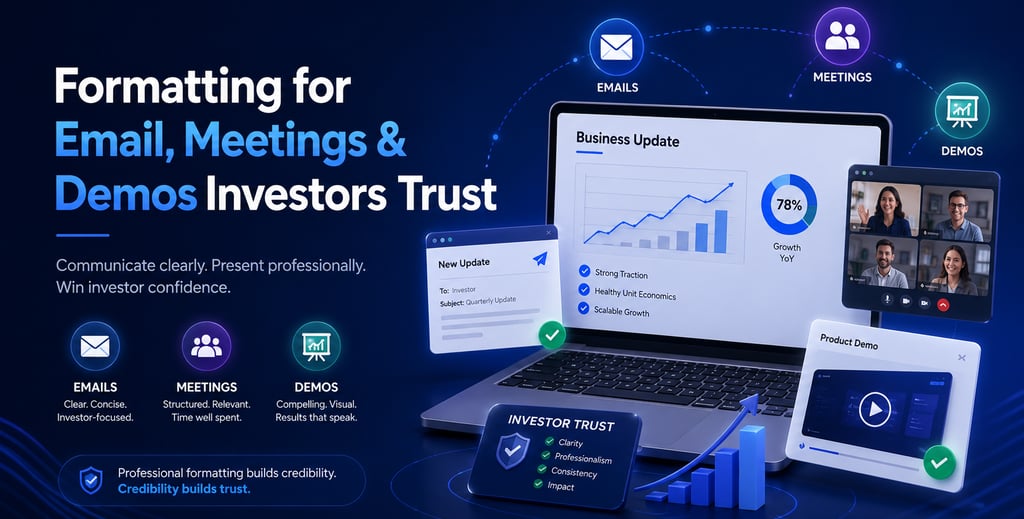
Infographic titled "Formatting for Email, Meetings & Demos: The Multi-Channel Narrative" showing a p

Formatting for Email, Meetings & Demos: The Multi-Channel Narrative

In the venture capital power centers of London, New York, and San Francisco, your pitch deck is a chameleon. It must perform differently depending on the "container" it occupies. A deck sent via a cold email is a discovery tool; a deck used in a live meeting is a narrative anchor; and a deck during a product demo is a credibility validator.

The brutal truth? Context is the "Force Multiplier" of your data. If you send your 40-slide Master Deck in a first email, you signal a lack of social intelligence. If you read from your slides during a live meeting, you signal a lack of leadership. To win a Series A funding round in 2025, you must master the "Formatting Switch"—tailoring your visual and textual communication to the specific psychological state of the investor at each touchpoint.

This sub pillar is part of our main PILLAR 6 — DESIGN PRINCIPLES

Key Takeaways: The Contextual Power-Law

  • The Email "Teaser" Rule: Your goal is to create a "Curiosity Gap." Use a 5-7 slide PDF that focuses on Traction and the Big Change, not the technical minutiae.

  • Live Meeting Frame Control: Reduce the word count on slides by 80%. The deck should be the "Background Music" to your performance as the Founder.

  • The Demo "Reality" Anchor: Use a "Demo Deck" that bridges the gap between the vision and the code. Use screenshots to provide safety before jumping into live software.

  • DocSend Analytics as Feedback: Format your links to disable downloading. This forces investors to view the deck in a browser, giving you a "Heatmap" of their skepticism.

  • Regional Tone Calibration: SF expects high-energy, visual-heavy meeting formats; London and Toronto value a structured "Q&A-First" approach where the deck serves as a forensic reference.

1. Formatting for the Inbox: The "Cold Start" Deck

When an investor opens an email in a busy NYC office or a London cafe, they are in "Filter Mode." They are looking for a reason to hit "Delete." Your email formatting must facilitate the 2-Minute Scan.

A. The "Teaser" Deck Architecture

Don't send the full deck. Send a "Teaser" formatted for Information Gain.

  1. Slide 1: The Hook. A bold assertion of your unique insight.

  2. Slide 2: The Proof. Your most "Infectious" traction chart.

  3. Slide 3: The Market. The specific "Economic Bleed" you are solving.

  4. Slide 4: The Team. Why you have the Founder-Market Fit to win.

  5. Slide 5: The "Why Now". The external trigger (regulation, tech shift) making this inevitable.

B. The "Blurb" and The Link

Your email body is the "Wrapper" for the deck.

  • The Formatting: Use bullet points. No long paragraphs.

  • The Call to Action: "Does this align with your current thesis on [Industry X]? If so, I’d love to share the full Master Deck."

  • The Signal: This shows respect for their time. It signals that you are a high-value founder who doesn't "spray and pray."

2. Formatting for the Live Meeting: "The Anchor"

Once you are in the room—whether on Zoom or in-person in Palo Alto—the deck's role shifts. It is no longer the teacher; it is the visual aid.

A. The "Lean" Slide Protocol

If an investor is reading your slide, they are not listening to you. In 2025, the most effective founders use Minimalist Formatting for live sessions.

  • Assertion-Evidence Headers: Keep the headline, but replace the body text with a single, high-resolution image or chart.

  • The 10/20/30 Rule (Modified): No more than 10 slides for the presentation portion, 20 minutes of talking, and 30pt font minimum.

  • The "Black Slide" Technique: Insert a purely black slide when you want the room's focus entirely on your words. This is a powerful "Pattern Interrupt" that forces eye contact.

B. Driving the "Appendix"

The meeting is often won or lost during the Q&A. Your formatting must allow for Data-on-Demand.

  • Hyperlinked Contents: Have a "Menu" slide at the end of your pitch that links to specific deep-dives in your Appendix (e.g., Cap Table, Tech Stack, Cohort Analysis).

  • The Signal: When a Partner asks about "Churn" and you instantly click to a beautifully formatted Cohort Heatmap, you demonstrate a level of Operational Grip that triggers Oxytocin (Trust).

3. Formatting for the Product Demo: "The Reality Check"

The demo is the "Climax" of the pitch. However, live software is inherently risky. Formatting your demo as a "Guided Story" reduces the risk of technical friction.

A. The "Safety" Deck

Before you switch to a live screen-share, use 3 slides to "Prime" the investor's brain:

  1. The "User Persona": Who are we watching?

  2. The "Job to be Done": What is the specific problem they are solving?

  3. The "Magic Moment": The one feature that proves your Earned Secret.

B. The "Hybrid" Demo Format

If the product is complex (DeepTech or Enterprise SaaS), don't do a full live demo. Use High-Fidelity Video Clips or "Screen-Recordings" embedded in the deck.

  • The Formatting: Overlay the video with callouts that explain what is happening.

  • The Signal: This ensures the "Magic" is delivered without the risk of "Demo Blues." It shows you are a pragmatist who values the investor's limited time.

4. Regional Formatting Nuances: The Cultural Dialect

Investors in different geographies have "Formatting Sensitivities" that can subconsciously affect their conviction.

  • New York (The "Efficiency" Dialect): They value "Density per Second." Your email should be short, and your deck should be data-heavy but perfectly Aligned. They want to see the "Machine" in the numbers.

  • San Francisco (The "Aspirational" Dialect): They value "Story Velocity." Your email should feel personal and visionary. Your live deck should be a visual "Odyssey."

  • London & Toronto (The "Audit" Dialect): They value "Integrity." Use "Institutional" formatting (muted colors, serif fonts for headers). They expect a very robust Appendix and will often ask to see it during the first meeting.

5. The "Trench" Report: The $12M "Context" Error

I once worked with a founder in Toronto who was sending his "Meeting Deck" (very visual, very little text) as his "Teaser" email.

The consequence? Without his voice to explain the slides, the deck made no sense to the VCs. His "Open Rate" was high, but his "Meeting Request Rate" was zero. The VCs thought the business was shallow because the slides were empty. The Fix: We created two distinct formats.

  1. The "Standalone" Teaser: More text, clearer labels, and explicit "Assertion Headers" so it could be read without him.

  2. The "Meeting" Anchor: We stripped the text back out for the live presentation. The Result: His meeting conversion rate jumped by 400%. He closed a $12M Series A because he learned that a slide is only as good as the context it lives in.

6. Technical Formatting for 2025: DocSend and Beyond

In 2025, how you deliver the file is part of the formatting.

  • Mobile-First Optimization: 60% of first-reads happen on a smartphone. Ensure your font sizes (18pt+) and chart labels are legible on a 6-inch screen.

  • The "Analytics" Feedback Loop: If you see an investor in London spends 10 minutes on your "Competition" slide but "bounces" from your "Financials," you know they are worried about the moat. Format your next email to them specifically addressing the competitive landscape.

  • No Attachments: Never send a raw .PPT or .PDF file. It signals a lack of Information Control. Use a secure link (DocSend, Pitch, or BriefLink).

7. Semantic Innovation: The "Narrative Breadcrumbs" (New Information)

A trend emerging in high-tier fundraising is the use of Narrative Breadcrumbs in the email-to-meeting transition.

  • The Technique: In your "Teaser" email, mention a specific, high-level metric (e.g., "Our NRR is 120%"). In the "Live Meeting," have a slide that "Double-Clicks" into why that NRR is so high (The Cohort Analysis).

  • The Human Tone: This creates a "Continuing Conversation" feel. It proves you aren't just reciting a script; you are providing a deeper layer of truth at every stage of the funnel. It builds Oxytocin (Trust) by rewarding the investor's initial curiosity with deeper insight.

Expert FAQ: The Formatting Masterclass

Should I use "Transitions" and "Animations" in my meeting deck?

Use them only to focus attention, never for "flair." A simple "Fade" to reveal a data point can be effective. Avoid "Fly-ins" or "Zooms"—they trigger "Cognitive Strain" and make you look like an amateur.

What is the best way to format a "Virtual" meeting deck?

On Zoom/Google Meet, the investor's screen is small. Use "Center-Focused" layouts and high-contrast colors. Avoid putting critical information in the bottom-right corner, as that is often covered by the "Video Tiles."

How do I handle "Questions" during a presentation?

Format your deck for Non-Linear Navigation. Use "Hidden Slides" or a "Jump Menu." If an investor asks about the "Exit Strategy" on Slide 2, you should be able to jump to that slide instantly without scrolling through the whole deck.

Why does Google care about "Email Pitch Formatting"?

Google’s 2025 updates prioritize Information Gain and User Experience. If you provide a guide on "How to format a pitch email," Google looks for "Helpful, Original Insights." Mentioning the F-Pattern or Cognitive Fluency in your content signals to Google that you are an expert, boosting your SEO.

Summary Checklist: The Formatting Audit

  • Teaser (Email): Is it 5-7 slides? Does it create a "Curiosity Gap"?

  • Live Deck (Meeting): Is text reduced by 80%? Are headers declarative?

  • Demo Deck (Validation): Are there "Safety" screenshots before the live software?

  • Mobile Optimization: Can you read the "Assertion" on a phone?

  • Analytics: Are you using a secure link to track "Engagement Heatmaps"?

  • Regional Tone: Is the "DNA" of the formatting calibrated for NY, SF, or London?